
Stats & leaderboard
Rainbow Six Siege stats right inside Discord
R6Sync answers “what are my Siege stats?” without leaving Discord: /stats sends an image card of your profile, /leaderboard compares MMR, and the web dashboard lets you customize the look. Everything starts from an Ubisoft link — the same source as rank roles. This guide walks through the member commands, the customization path, admin prerequisites, and the help / Commands / Features links you need to go further without inventing numbers or third-party claims.
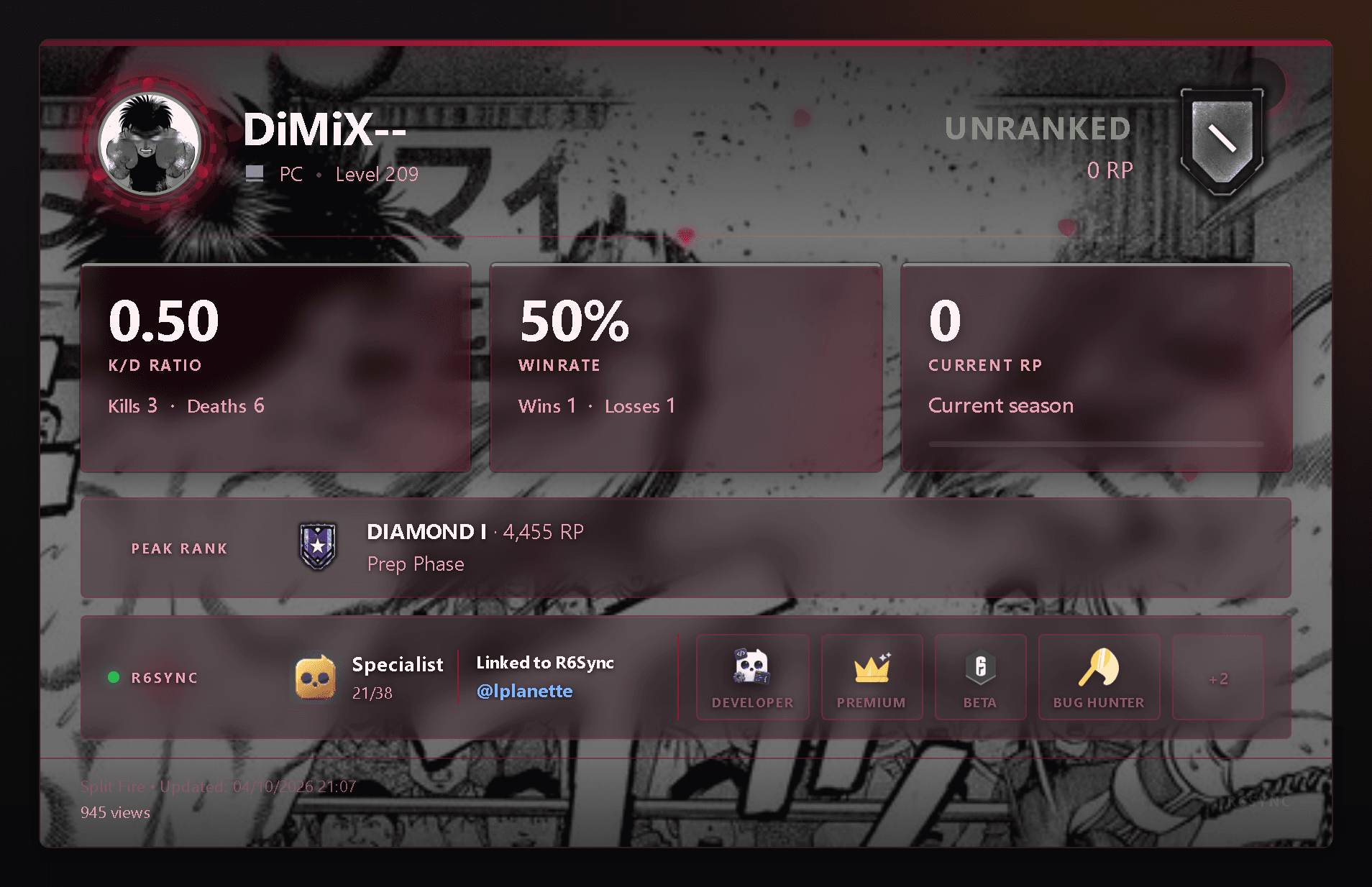
What /stats does
On Discord, /stats posts a visual Rainbow Six Siege profile card. You can target your linked account, another Discord member, or an Ubisoft username with platform (PC, Xbox, PlayStation). The card uses the same profile flow as player search on the site. On the web, Stats card lets you pick a theme, avatar, or background (Premium themes with Player Pro) and preview before saving — the next /stats on Discord uses those preferences. Player help documents the save → Discord round-trip explicitly so admins can point members to one URL instead of repeating screenshots in support tickets.
- Options: Discord user, Ubisoft username, platform
- Shareable image card in the channel
- Customize from the dashboard (free / Premium themes)
/leaderboard: compare ranks
/leaderboard shows an MMR ranking of R6Sync-linked players at server scope or across the whole R6Sync network depending on usage. It complements /stats: /stats details one player, /leaderboard situates the community. Linked members stay consistent with role sync — no second tracker pasted by hand.
Requirements and player path
Without a linked Ubisoft account, R6Sync cannot show your Siege profile. Link from the dashboard or /link, then run /stats. On servers with role modules, /sync (or auto-sync after linking) also aligns Discord roles. Help articles for the /stats card and player search cover the web equivalent. Full option lists are on the Commands page.
- Ubisoft link required for your own profile
- /link then /stats — minimal path
- Player Pro: premium themes, custom media, watchlist
For admins: why it matters on the server
Stats are not a Setup toggle like LFG or verification — they are member commands available once the bot is present. A server that pushes Ubisoft linking (verification + roles) makes /stats and /leaderboard useful immediately: every verified member has a readable profile. Invite the bot, run setup, enable at least rank roles if Discord should reflect skill, then point players to /stats and the Commands page. Admins do not need to paste Stats.cc links by hand — bot and dashboard expose the same profile once Ubisoft is linked. On Features, #roles_core and #verification explain why linking powers both roles and the /stats card.
Common issues and where to get help
Empty card or wrong rank: check the link, platform (PC / Xbox / PlayStation), and run /sync. Premium theme not applied: the account needs active Player Pro. Sparse leaderboard: you need linked members. Help for customizing /stats, searching players, and linking Ubisoft covers the step-by-step path; the Commands page lists /stats, /leaderboard, /link, and /sync with options and permissions. To invite the bot or review the catalog: /invite and /features.
Frequently asked questions
Do I need Premium for /stats?
No — /stats is free. Player Pro mainly unlocks advanced card customization and options like /sync global.
Can I view another player’s stats?
Yes via /stats user / username / platform options, or player search on the site — documented in help.
Is /leaderboard per server?
The command covers server / global ranking depending on R6Sync context. Linked members stay aligned with synced roles.
See modules
Read also
Readable Siege stats in Discord
Invite the bot, link Ubisoft, run /stats. Leaderboard and the web card complete the player path.