
Access & identity
Verify Ubisoft before anyone enters your Siege Discord
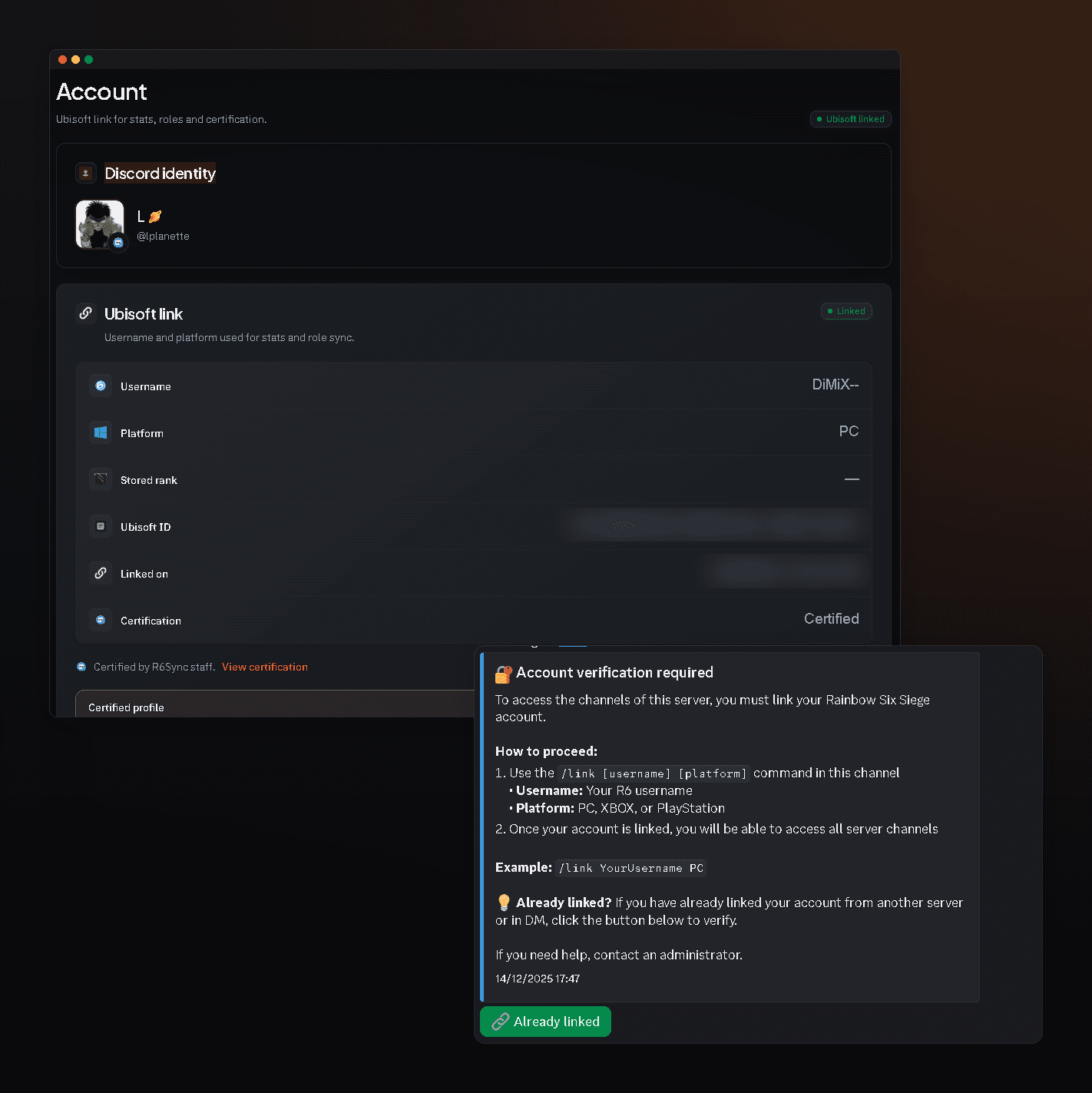
R6Sync answers “how do we only allow linked Siege players?” with the Verification module: new members get Unverified, only see the verification channel, link Ubisoft (/link or dashboard), then the bot removes the role and opens the server. Distinct from staff certification, this gate uses the same link as rank roles and /stats. This page restates the admin help flow, Discord permission pitfalls, bypass tools, and how verification unlocks the rest of the module catalog — with links to Commands, Help, Features anchors, and Invite.
How the gate works
Admin help documents the flow: new member → Unverified role → verification channel only → Ubisoft link → role removed → full access. Advanced mode can also require staff certification. The module lives under Access & identity in Setup V3, configurable during setup (Access Control profile), on the module page, or Config → Verification. Catalog copy stresses that verification is distinct from staff certification — mixing the two names in announcements confuses new members.
- Unverified role + dedicated channel
- Ubisoft link = entry key
- Staff certification ≠ verification (separate path)
Critical Discord permissions
Unverified must not see private channels except verification. The bot needs Manage Roles and must sit above Unverified. It must also post the panel in the verification channel. Without that, the module can look on while everyone already sees the server — a common pitfall in verification help. After changing role hierarchy, re-test with an alt account before announcing the gate as mandatory.
Bypass and admin whitelist
/bypass and whitelist commands exempt bots, guests, or VIPs without turning the whole gate off. /verif and guided setup complete the admin toolkit. Keep bypass for precise cases; option details are on the Commands page (admin permission). Document who is exempt in staff notes so helpers do not disable verification entirely when one guest needs access.
Tied to roles and stats
After verification, the member is linked: role modules can assign rank and platform, /stats becomes relevant, and nickname sync can apply. That’s why the Ubisoft linking guide and this verification guide complement each other — player side vs server access control. Enable verification + roles_core for a coherent Siege Discord from the first join. Nickname sync (nickname_sync, Free) can then format the Discord display name with rank or platform, provided the bot has Manage Nicknames and sits above members to rename.
Recommended admin path
Invite the bot → setup (Access Control profile if offered) → enable Verification → create / check #verification and the Unverified role → test with an alt → post a clear “use /link or the dashboard” message. Add bypass for utility bots. Then enable rank roles and, if needed, LFG. Resources: verification-gate help, Commands page (admin), /features#verification and /features#nickname_sync, invite via /invite. Keep the linking guide bookmarked for players who stall at the gate.
Frequently asked questions
Is verification the same as certification?
No. Verification is the entry gate (linked Ubisoft). Certification is a separate staff path documented in help.
What if someone doesn’t link?
They stay Unverified and only see the verification channel (when Discord permissions are correct).
Can I exempt staff?
Yes via admin bypass / whitelist without disabling the module for everyone.
Verification module
Read also
A Siege Discord reserved for linked accounts
Enable verification, fix permissions, have members link Ubisoft. Roles and /stats follow.