
Ubisoft linking
Link Ubisoft to Discord in a few minutes
Ubisoft linking is the thread through R6Sync: it tells the bot which Rainbow Six Siege profile matches your Discord account. Without it, no automatic rank roles on servers with roles_core, no accurate /stats card for yourself, and no passing the verification gate if the admin requires it. Good news: the step is short, works on mobile or PC, and once done it feeds /sync, /leaderboard, and card customization from the dashboard. This guide explains what linking unlocks for players and admins, the numbered path (/link and Account page), how to combine with entry verification, and what to do if you change accounts or platform.
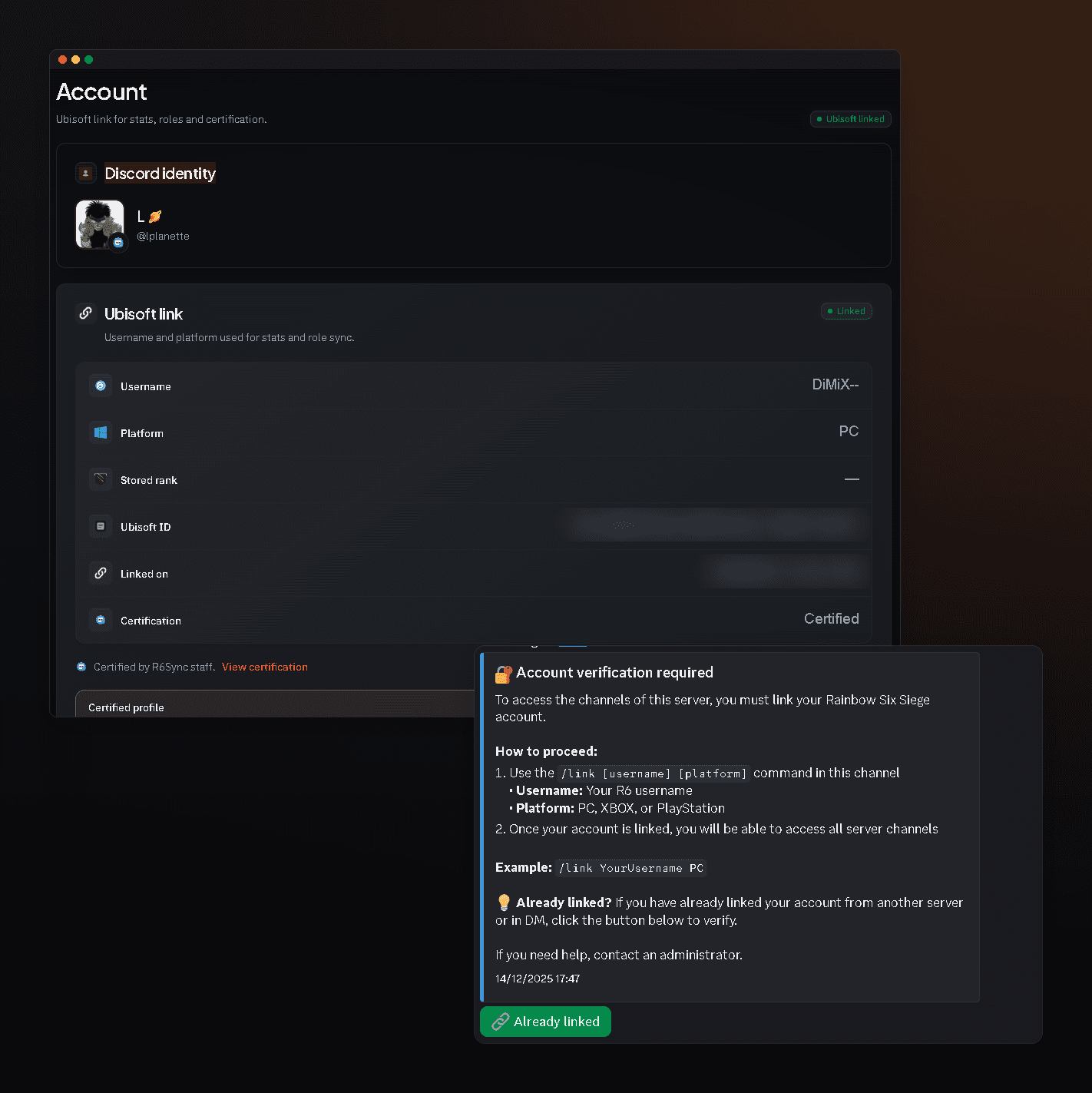
What is linking for?
R6Sync doesn’t store your Ubisoft password: it associates your Discord identity with a public Siege profile (via the site-documented flow) so modules know which rank, platform, and ranked season to show. Once linking succeeds, the bot can assign mapped roles on every server you’re in where the roles module is active — Copper → Champion, PC / Console, season, matches if the admin enabled them. For you, /stats shows your image card from the same profile; the dashboard Account page sets theme and options (Player Premium for advanced customization). On the server, verification uses linking as Siege identity proof before opening the rest of the channels.
- Synced roles after /link + /sync (or auto sync)
- /stats card, /leaderboard, and player preferences
- Passing the verification gate (#verification) when enabled
Steps 1–4 — link as a player
Two paths reach the same result: stay in Discord or open the dashboard. Use whichever your server recommends in #rules.
- Step 1: join a server with R6Sync or open r6sync.com and sign in with Discord
- Step 2: on Discord, run /link and follow instructions (URL or buttons per current flow)
- Step 3: web alternative — dashboard Account page, Ubisoft linking section, same guided flow
- Step 4: after success, run /sync on each important Siege server to push rank and roles immediately
What happens on your server after linking
Each guild is independent: linking once lets you /sync everywhere the bot is present and configured. If verification is on, you lose the Unverified role and access member channels once linking validates. If roles_core is on, you get your tier role (e.g. @Platinum) and optionally @PC or @Console. Season or match modules apply on the next sync without extra steps. Admins often see a link log in the configured channel — useful to moderate duplicate accounts.
For admins: require linking at the gate
Enable the verification module in the Setup catalog. New members only access the verification channel until /link succeeds — separate from staff certification. Pair with roles_core so the first sync assigns rank + platform on entry. Communicate clearly: expected Ubisoft username, main ranked platform, link to this public guide. Without verification, linking stays “strongly recommended” for roles and /stats, but members can linger without /link unless you enforce it.
- Step 1: enable verification + configure the gate channel
- Step 2: enable rank roles and confirm bot hierarchy
- Step 3: welcome message with /link and linking guide link
Switch accounts, platform, and resync
You change Ubisoft mains or linked the wrong platform: open Account on the dashboard, update or redo linking per available options, then /sync on your servers. Discord roles recalculate to the current tier; career max rank may shift if that module is on. For another player’s /stats without a link, use the command’s username / platform options — that’s not the same as your personal link.
Privacy and limits
Linking exists only to run R6Sync modules (roles, stats, verification, Premium watchlist where applicable). Legal details and retention are in the site privacy policy. R6Sync doesn’t grant MMR: if the card rank differs from the game, confirm the correct Ubisoft profile and ranked platform are linked before opening a ticket. Staff can point members to Help articles for /link errors, double accounts, or platform mismatches — most issues resolve after a successful relink and /sync on the guild.
Frequently asked questions
Is linking required?
On servers with verification, yes to leave the gate channel. For rank roles and /stats on your profile, you must link — otherwise the bot doesn’t know your Siege identity.
Discord only or dashboard — any difference?
/link on Discord and the web Account page lead to the same R6Sync link. Use the path your staff points to.
Can I switch Ubisoft accounts?
Yes from Account / preferences in the dashboard, then /sync on affected servers to refresh roles and the /stats card.
Do I need Premium to link?
No — linking is free. Player Premium is mainly /stats customization; server Premium is advanced guild modules.
Is my data safe?
Linking identifies your Siege profile for documented modules. See the privacy policy for processing details.
Features
Read also
One linked profile, a server that follows
Sign in with Discord, link Ubisoft, let roles and verification handle the rest.