
Siege info
R6 server status without leaving Discord
R6Sync answers “is Siege down?” in your Discord: the R6 Status module posts an auto-refreshed embed (auth, matchmaking, shop, and more) about every ten minutes, with no roles to manage. /r6status complements it for members. Ubisoft news (patch notes, announcements) is a free sibling module; per-type channels stay Premium Pro. Facts below come from SETUP_MODULES descriptions, premiumModules Pro gates, admin help for nicknames/status/news, and the public Commands table — plus links to /features#r6_status, /features#ubisoft_news, Help, and Invite.
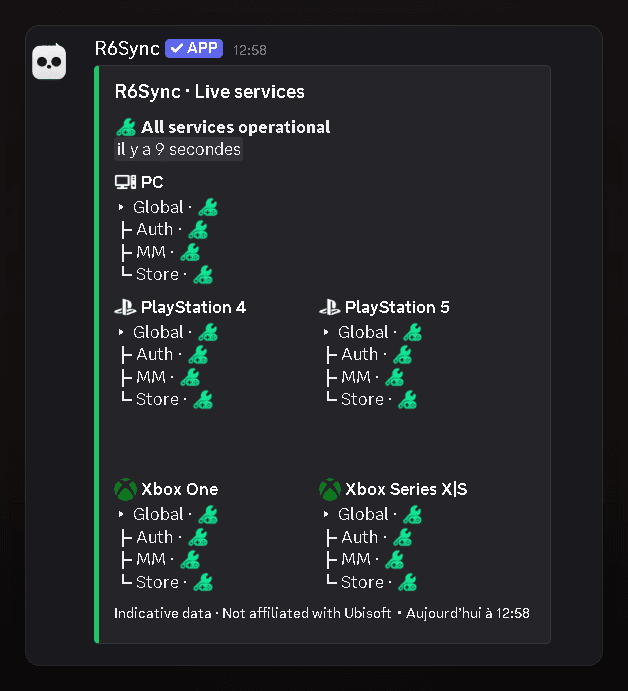
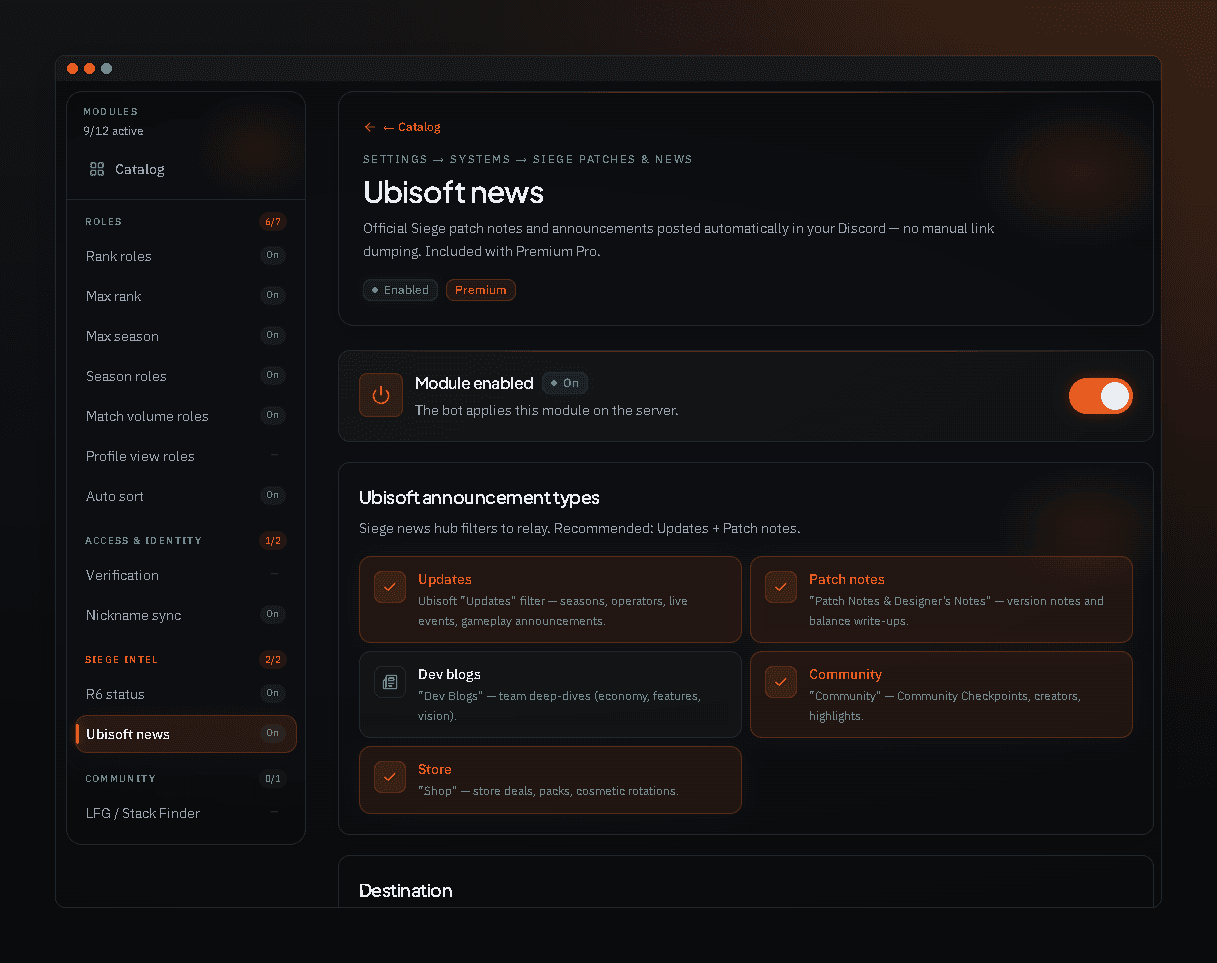
R6 Status module
In the catalog (Siege info), R6 Status shows whether Siege services are degraded — auth, matchmaking, shop — via an auto-refreshed embed. No Discord roles are created: pure information so members don’t leave on every outage. The R6 Status module is gated to server Premium Pro in premiumModules: soft-lock may allow viewing; activation requires Pro. Ubisoft news is free; only per-type channels stay Pro. Help recommends a dedicated channel (e.g. #r6-status), publishing the embed, then using repair if someone deletes it — language follows server General settings.
- Siege service status embed
- Refresh ~every 10 minutes
- Server Pro tier required to enable
/r6status command
/r6status is a member command from the bot: check service status without waiting for the next embed refresh. It complements the ops module. Option details (if any) are on the Commands page aligned with slash definitions. Pin a short “use /r6status or check #r6-status” note in rules so support tickets about outages stay shorter.
Ubisoft news (sibling module)
Ubisoft news auto-posts patch notes, updates, and official Siege announcements to your chosen channel — the relay (default channel) is free; per-type channels are Premium Pro. With R6 Status + News, your community hears about outages and patch notes without pasted links. Help for nicknames, R6 status, and Ubisoft news covers ops config. Per-type channels need a Pro slot; the default-channel relay can be enabled on Free.
Rollout
Invite R6Sync, finish setup, subscribe to server Pro if you enable R6 status, configure the embed channel (ideal: #r6-status), publish the embed, then announce /r6status. If the embed is deleted, use repair as documented in help. The embed follows the server language (Settings → General). Pair with LFG and verification to match your style. Anchors /features#r6_status and /features#ubisoft_news; Commands for /r6status; /invite to add the bot.
Why status + news together
Status covers today’s outages; Ubisoft news covers patches and official announcements. Together they cut “what’s this patch?” and “is matchmaking down?” spam in general. You can prepare news config before upgrading to Pro, then enable when the server Premium slot is assigned. R6 status stays server Pro; the news relay is free and per-type channels stay Pro. Point members to the Commands page for /r6status and to Features for the module cards.
Frequently asked questions
Is R6 status free?
Enabling R6 Status requires server Premium Pro. The Ubisoft news relay is free; per-type channels stay Pro. /r6status remains a member bot command.
How often does the embed refresh?
About every ten minutes per the R6 Status module catalog description.
Do I need Ubisoft linked to see status?
No to read the public channel embed. Linking is still required for roles, personal stats, and verification.
Siege info modules
Read also
Siege down? Your community already knows
Enable R6 Status on Pro, add news if needed, and keep /r6status handy.