
Roles & sync
Discord roles that follow real Siege rank
On a Siege Discord, rank roles help spot skill level at a glance, organize scrims, or filter ranked stacks. R6Sync reads each member’s linked Ubisoft profile and assigns the Discord roles you mapped in the dashboard — current rank, PC or Console platform, current ranked season, match-volume tiers, career records (max rank / max season), even Stats.cc profile views if you enable those modules. When a player promotes or demotes, /sync or post-link auto sync updates Discord without manual edits. This guide covers the role catalog, the Unranked → Champion mapping table, Discord hierarchy requirements, and a numbered admin path for reliable sync from the first link.
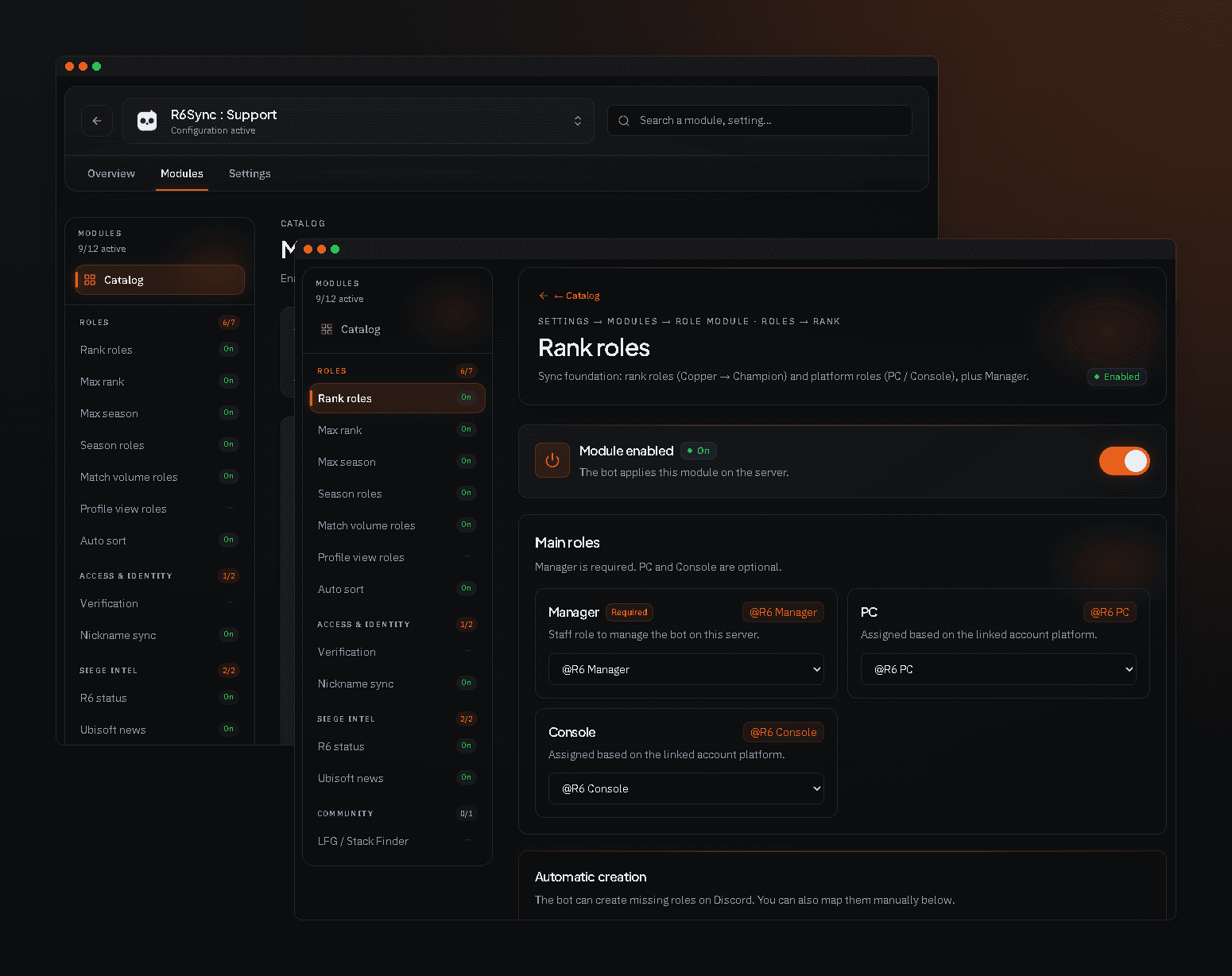
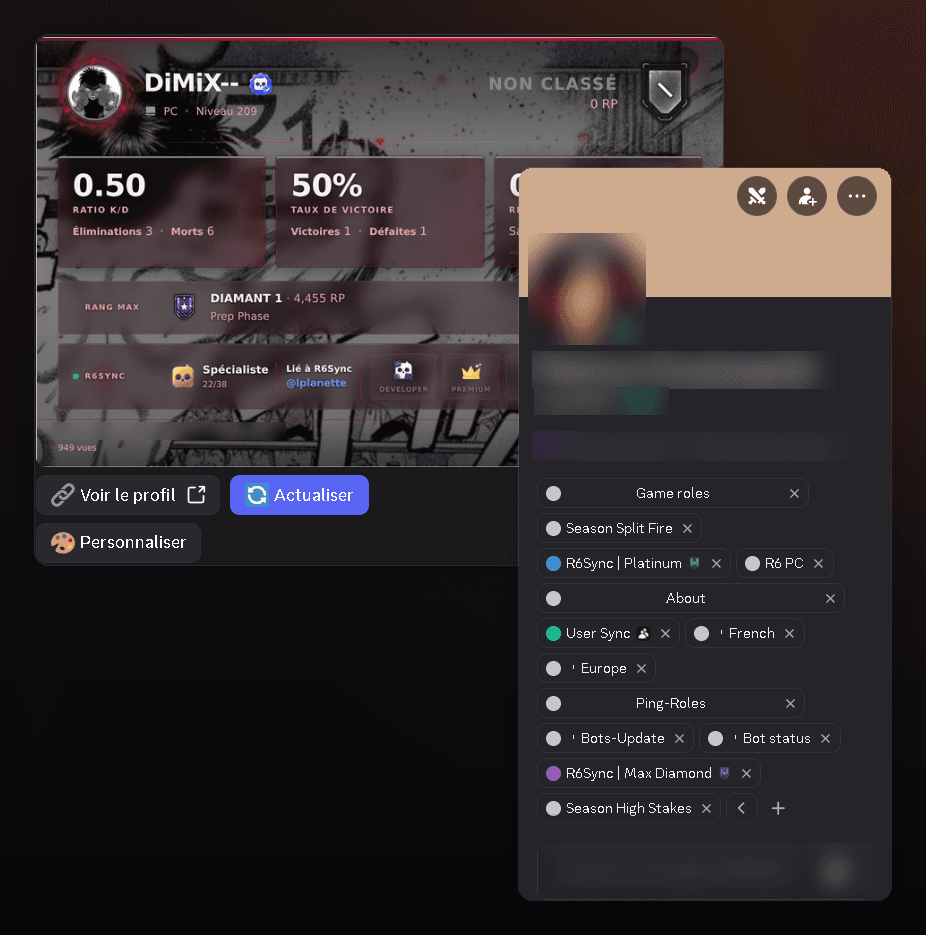
Which roles can you sync?
Setup V3 splits families to avoid overlap. Rank roles (roles_core) are the required base — without it, other role syncs don’t stick. It covers Unranked → Champion grades plus PC / Console platform roles and the Manager role for bot staff. You can stack cosmetic or “record” modules: season roles (current ranked operation name), match-volume roles (1-30 … 200+ tiers in the season), Stats.cc profile view roles, max rank (career best, e.g. “Max Diamond”), max season (season where peak was hit), and auto-sort to tuck R6Sync roles under your header roles. Enable only what your community needs — casual preset (rank + season) or competitive (rank, season, matches, max, sort).
- Base: rank + platform + Manager roles
- Optional: season, matches, views, max rank / max season
- Auto-sort: readable Discord hierarchy after role creation
Siege rank → Discord role mapping table
In the dashboard, map one Discord role per tier (or let the bot create missing roles on first link). Divisions V through I within a tier share one role — e.g. Copper V and Copper I both get @Copper. Example mapping (adapt role names to your server): | Siege rank (ranked) | Discord role (example) | | --- | --- | | Unranked | @Unranked | | Copper V | @Copper | | Copper IV | @Copper | | Copper III | @Copper | | Copper II | @Copper | | Copper I | @Copper | | Bronze (V → I) | @Bronze | | Silver (V → I) | @Silver | | Gold (V → I) | @Gold | | Platinum (V → I) | @Platinum | | Emerald (V → I) | @Emerald | | Diamond (V → I) | @Diamond | | Champion | @Champion | | PC platform | @PC | | Console platform | @Console | The bot removes the previous rank role when the tier changes so you don’t stack Copper and Gold at once.
Requirements for reliable sync
Discord silently blocks assignments if the bot is misplaced. Before asking the whole community to /link, check these in R6Sync setup and Server Settings → Roles.
- Step 1: bot invited with Manage Roles (and log channels if you use them)
- Step 2: R6Sync role above @Copper, @Bronze, … and season / match roles
- Step 3: rank roles module on + mapping filled or auto-create enabled
- Step 4: members with linked Ubisoft (/link) — otherwise no rank roles
Recommended admin path
Follow guided setup order: invite, permissions, enable roles_core, then optional modules. Competitive setup preset may pre-check rank, season, matches, and auto-sort; you can also enable modules one by one from Features. When config is ready, announce a “sync day”: members /link then /sync. Pair with verification if only linked accounts should access the rest of the server. Enable nickname_sync for nicknames like [Diamond II] Username — formats documented in nickname settings (basic free, custom Plus). Watch link / sync log channels for permission failures.
Updates, troubleshooting, and tips
Roles follow the profile at sync time: after ranked, /sync is the habit if you don’t wait for post-link auto sync. Wrong rank: check platform (PC / Xbox / PlayStation) on the linked account. Missing role: “Repair ranks” or create-on-sync per your config. Max rank never drops until the player beats their record — by design. Match roles use season ranked volume only, not profile views (separate module). Server Premium isn’t required for basic rank sync; it mainly unlocks comforts (LFG split, custom nicknames).
Ubisoft linking: player prerequisite
Without a link, the roles module sees no rank. Point members to the Ubisoft linking guide and /link. With verification on, they stay in the gate channel until linking succeeds — when rank roles and Unverified → Member update. Cross with /stats: same profile source for the card and for roles.
Frequently asked questions
Do roles update automatically?
Yes after linking with the module on: R6Sync reassigns on sync (auto or /sync) when rank, season, or match tiers change.
Do Copper V and Gold I share a role?
No — each tier (Copper, Bronze, …) has its own Discord role. All divisions within a tier share that role.
Can I limit by platform?
Yes: map @PC and @Console in roles_core. They add to rank roles based on the linked profile.
What about members without Ubisoft?
They won’t get automatic rank roles. Enable verification to require /link at the gate.
Max rank and current rank differ — normal?
Yes. Rank role follows current ranked tier; max rank module keeps a career record role until peak is beaten.
See role modules
Read also
From manual roles to real sync
Invite the bot, enable the roles module, have members link Ubisoft. Discord rank follows the game.